Looking for a rival: bring league matches forward or play friendlies with your category
Got a free evening but no one to play? Post free court slots to your whole category and any team can take one. If you still owe each other a match, it's brought forward; if you've already played, it's a friendly.
Getting four people to agree on a league match is the hardest part of padel. And sometimes it’s the other way round: you and your partner have a free evening, there’s a court at the club and nobody to play.
Looking for a rival solves both. It’s a board inside your category’s chats where your team posts free court slots, and any other team in the category can take one. What happens when they accept depends on the two teams:
- If you still owe each other the league match, it’s brought forward to that slot.
- If you’ve already played it, it’s a friendly: it doesn’t count for the standings and each player pays their own seat.
Most importantly: before accepting you always see which of the two it will be.
The screenshots are from the app in Spanish; in English you’ll see the same screens with the texts translated.
Where to find it
Go to Chats, open your competition and then your category. At the very top you’ll find the Looking for a rival card.
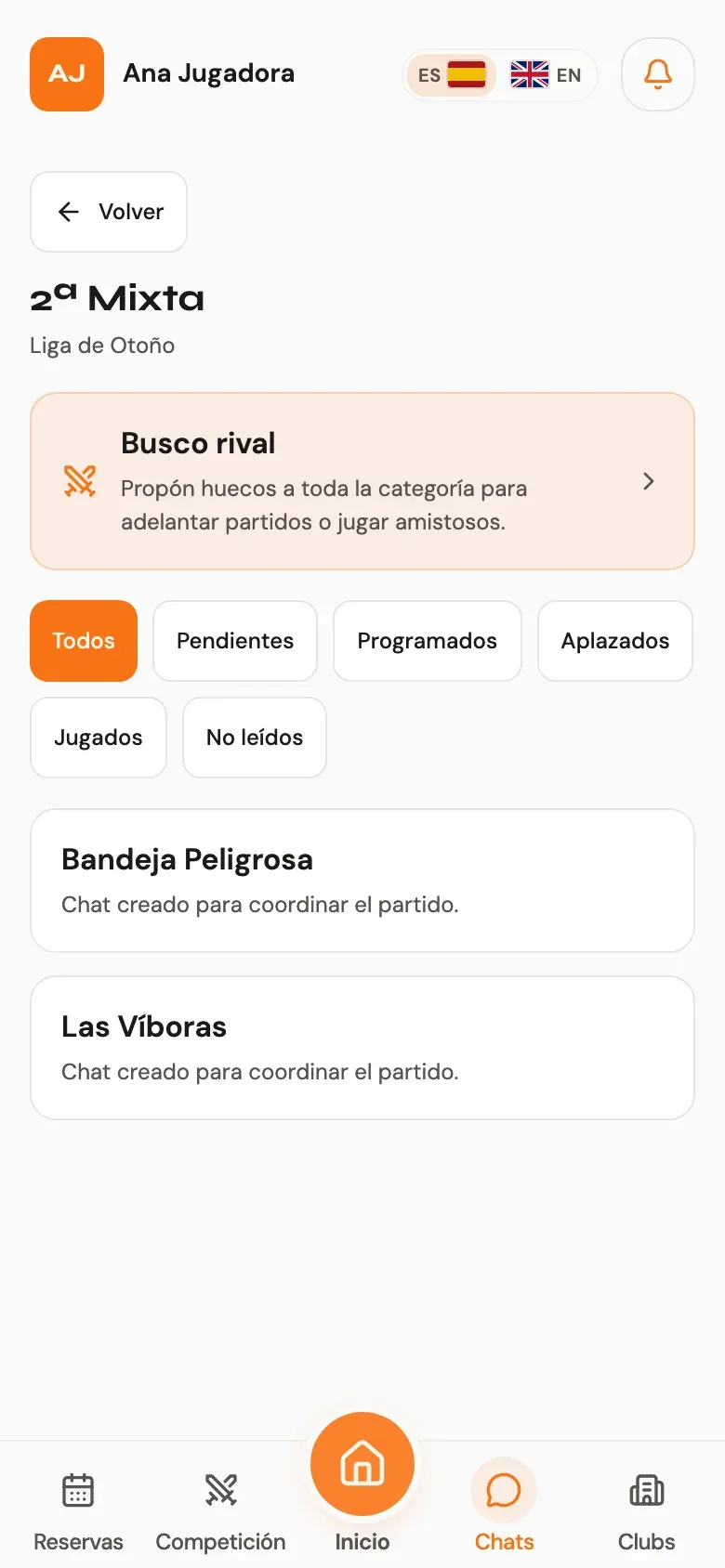
Inside you’ll see every open proposal in the category: your team’s at the top and everyone else’s below.
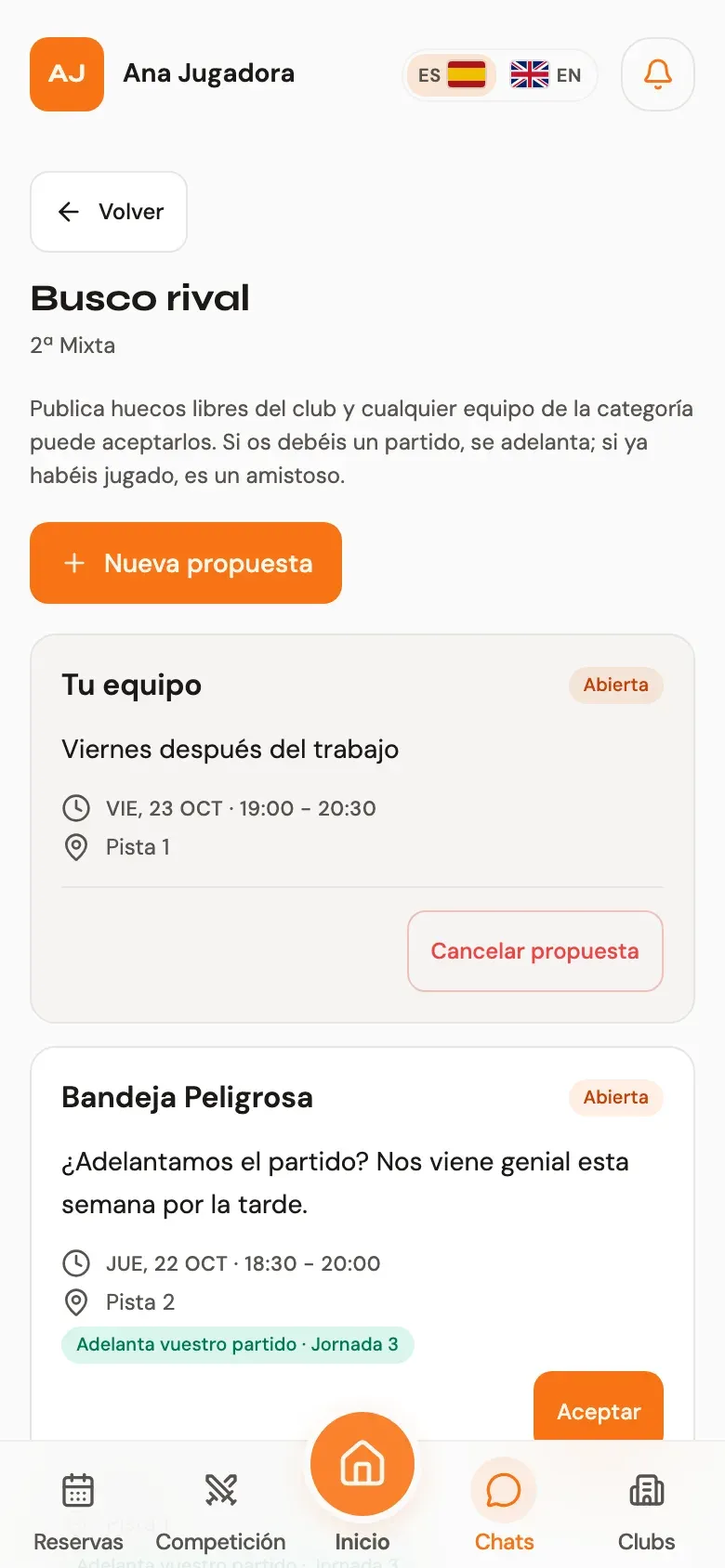
Posting a proposal
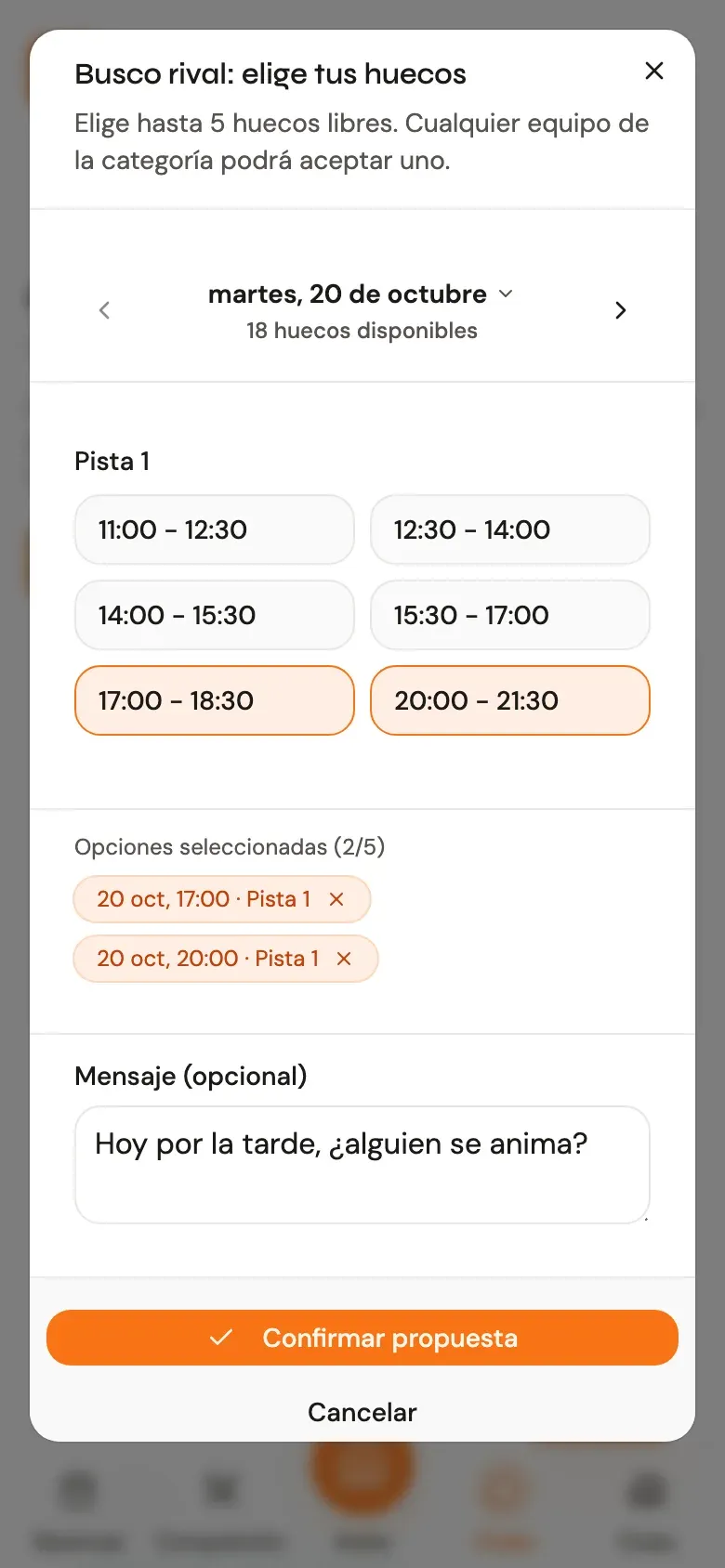
1. Tap “New proposal”. It opens the same slot picker you use in a match chat, with the club’s real availability.
2. Pick up to 5 slots. Use the arrows to move between days and select slots on different courts. The ones you’ve picked are listed at the bottom.
3. Add a message if you like (“weekdays work better”, “evenings only”…) and confirm.
Once it’s posted, the players of the other teams in the category get a notification. The proposal stays live as long as it has a slot still ahead; when none are left, it closes on its own. And as long as nobody has accepted it, you can cancel it at any time.
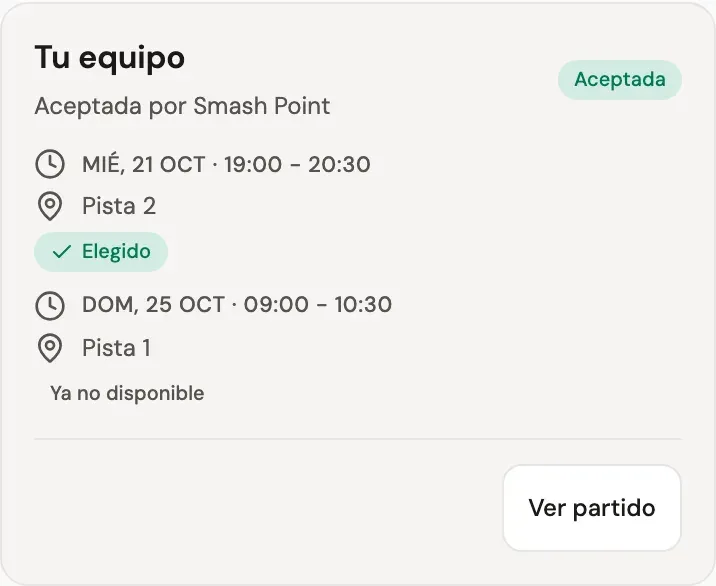
Posting doesn’t book the court: it’s booked when another team accepts. If someone has booked it by then, that slot changes to “No longer available” and your proposal stays open with the rest.
What each proposal tells you
On other teams’ proposals, each slot tells you what would happen if you accept it:
Brings your match forward. Shown when your league match hasn’t been played yet: no date, postponed, or scheduled for later. It also shows the round.
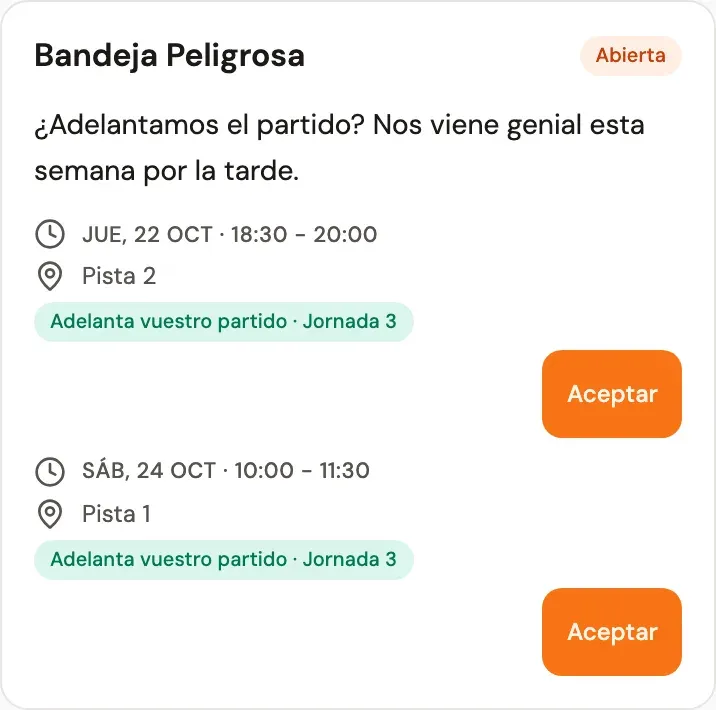
Friendly · does not count for the standings. Shown when you’ve already played the league match.
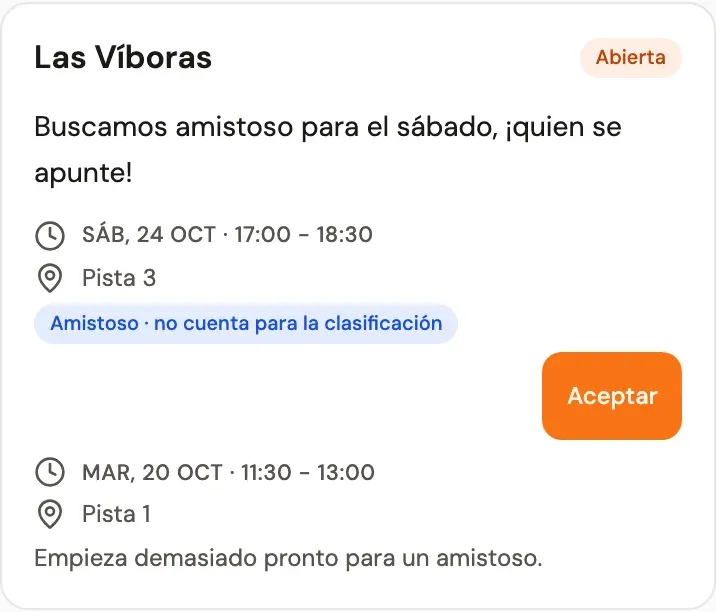
Sometimes a slot can’t be accepted, and the card tells you why:
- Your match is already scheduled earlier: there’s nothing to bring forward.
- It starts too soon for a friendly: the four players need time to pay for their seats.
- This club does not allow friendlies: the club hasn’t enabled online payment for matches.
Accepting a match brought forward
Tap Accept on the slot that suits you. Before anything happens, Reservo asks you to confirm and reminds you which match is brought forward, against whom, when and on which court.
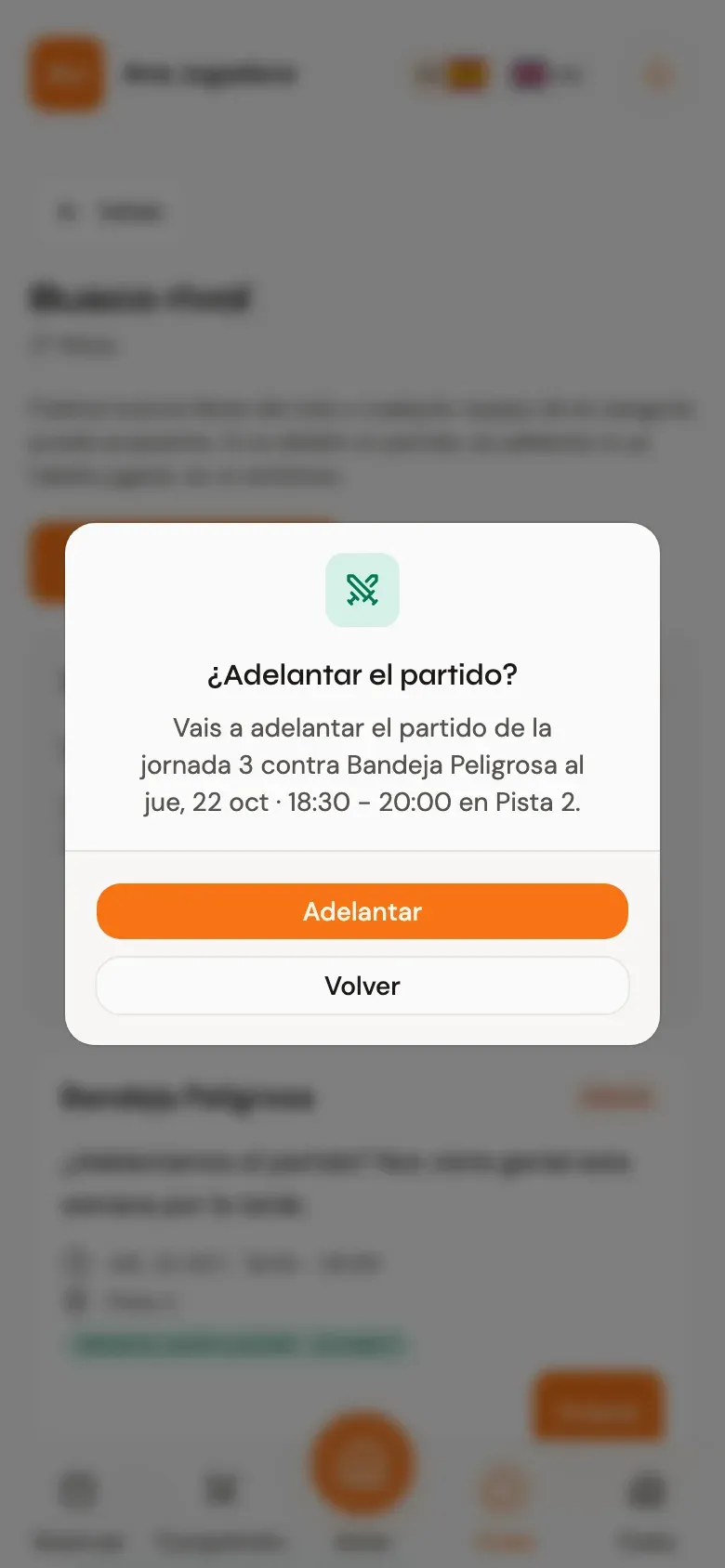
Once you confirm, the match is scheduled just as if you’d agreed on it in its chat. You go straight to the match chat, where a message records the new date, and the other players are notified. No approval from the organisers is needed.
Accepting a friendly
A friendly is a match just for your two teams: two seats per team, taken by the first two players of each team to pay. The confirmation tells you so before you accept:
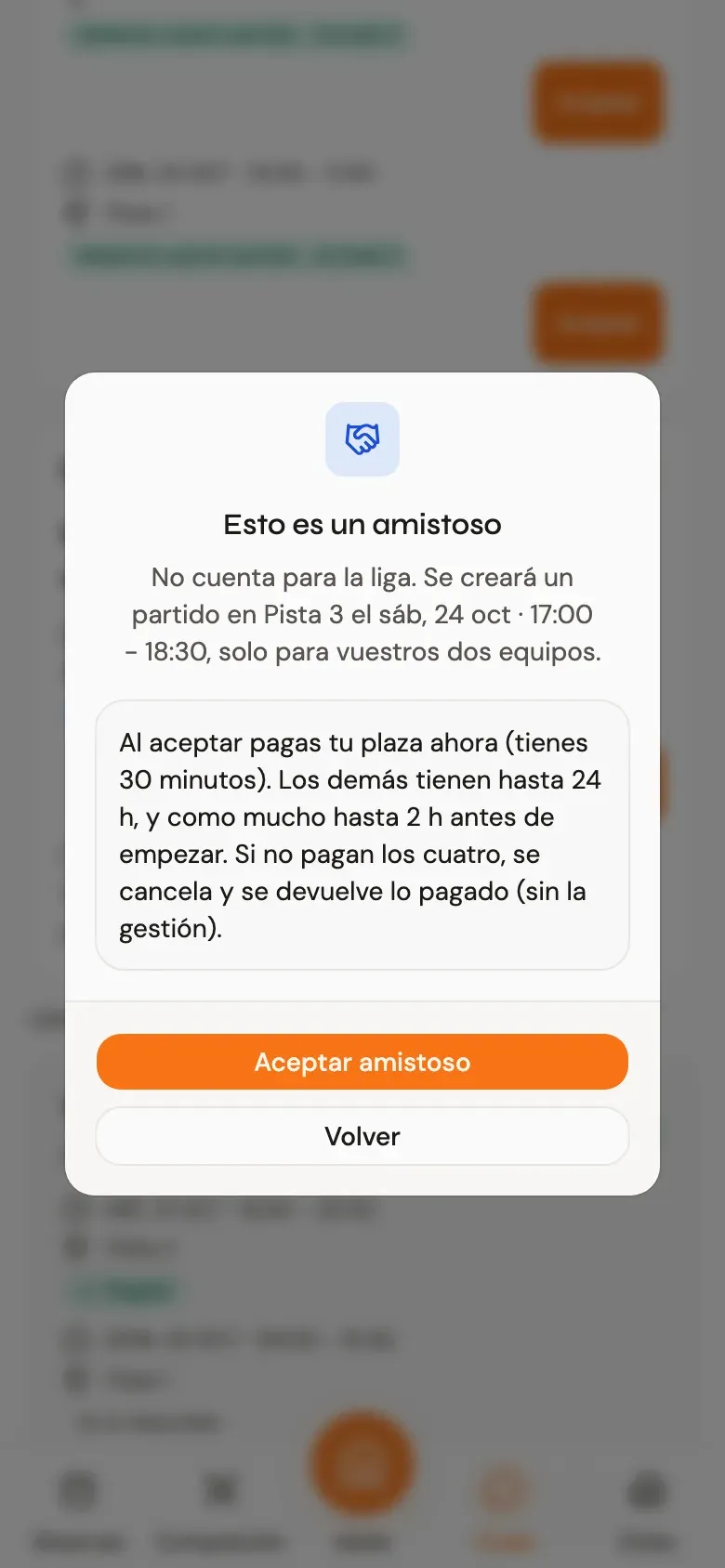
This is how payment works:
- Whoever accepts pays for their seat right away and has 30 minutes. If they don’t pay, the proposal opens up again for another team.
- The other three have up to 24 hours to pay, and at the latest 2 hours before the start. Halfway through, they get a reminder.
- If all four haven’t paid in time, the friendly is cancelled, the court is released and whatever was paid is refunded (minus the service fee).
Payment is always online; friendlies can’t be paid at the club.
Keeping track of your proposals
Closed proposals stay visible for a few days, below the open ones. When another team accepts one of yours, you get a notification and the card shows who accepted it and which slot they picked. See match takes you to the chat of the match brought forward; for a friendly, Go to the friendly takes you to its page so you can pay for your seat.
FAQ
Does a friendly count for the standings? No. Only the league match counts, and Looking for a rival never swaps it for a friendly.
What if, after bringing the match forward, we can’t make it? A match brought forward is just another scheduled match. If you cancel it, it’s a regular postponement, under your competition’s usual rules (deadlines and sanctions included).
Why can’t I see Looking for a rival? It’s only available in leagues where matches are arranged in the chat and pairs are fixed. It doesn’t appear in tournaments, americanos or individual leagues.
Can I accept my own proposal? No. It only takes one player from another team to accept it.
Questions or ideas to improve it? Write to us from your profile → Suggestions & Support.